 in the toolbar (Ctrl+B shortcut).
After creating all the elements of your project, you are ready to compile it.
Each time you modify your project, you have to recompile and download this new version to save your modifications on the target.
You can compile your project with the compile icon in the toolbar (Ctrl+B shortcut).
The compiler reports messages in the Information and Logs toolbox (see Compiler Output tab).
No other actions are possible when the compilation is in progress.
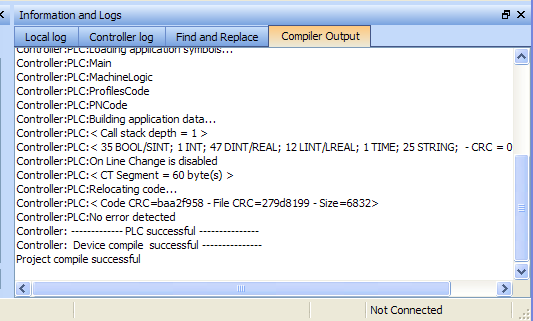
Errors are easily located using the information and logs window as shown below.
Double-click on an error in the list to open the program and jump directly to the relevant location in the editor.
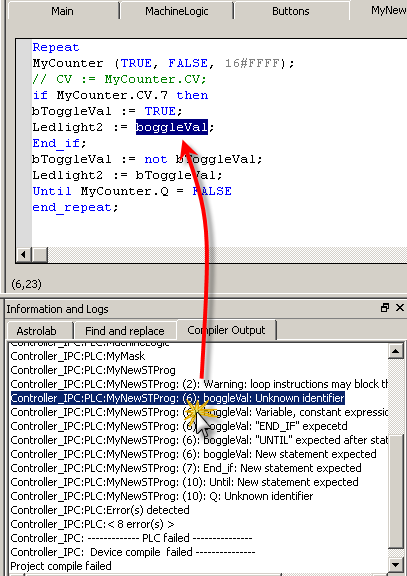
Figure 4-57: Error Location when Compiling
To locate source code, you can also use the Find and replace feature (for more information, refer to Find and Replace Tab)
In FFLD, when a function, function block or UDFB"User Defined Function Block"
UDFB can be used as a sub-function block in another program of the application. It is described using FBD, LD, ST or IL language. Input / output parameters of a UDFB (as well as private variables) are declared in the variable editor as local variables of the UDFB is not connected on the left, then it is ignored (removed at compiling time).
This case only applies for functions - not for function blocks.
|
Stay Connected with Kollmorgen       
|
Copyright © 2015 Kollmorgen™ |

|